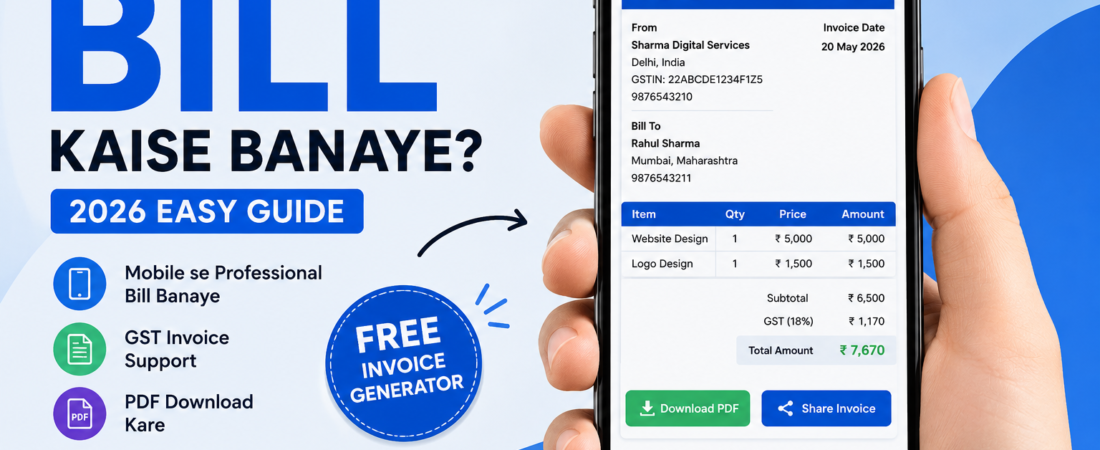
Mobile Se Bill Kaise Banaye Online Free (2026 Guide)
Mobile se professional bill kaise banaye? Is complete guide me sikhe GST bill, PDF invoice aur online billing ka easy step-by-step process.
Mobile Se Bill Kaise Banaye?
Aaj ke digital time me mobile sirf calling aur social media ke liye nahi, balki business ka important tool bhi ban gaya hai. Ab aap mobile ki help se professional bills aur invoices bhi create kar sakte ho.
Chahe aap:
- Shop owner ho
- Freelancer ho
- Small business chalate ho
- Service provider ho
mobile se bill banana aapke business ko fast aur professional bana deta hai.
Pehle handwritten bills ya Excel sheets use hote the, lekin 2026 me online invoice generator tools ne billing process bahut easy kar diya hai.
Agar aap bhi Google par search kar rahe ho:
- Mobile se bill kaise banaye?
- Free invoice generator
- GST bill kaise banaye?
- Online bill maker
to ye article aapke liye complete guide hai.
Mobile Se Online Bill Banana Kyun Zaroori Hai?
Aaj customers professional billing expect karte hain. Simple handwritten bill ki jagah digital invoice business ko trusted aur modern banata hai.
Professional Impression
Jab aap customer ko proper invoice dete ho, to business zyada professional lagta hai.
Fast Billing Process
Manual bill likhne me time lagta hai, lekin online billing software seconds me invoice generate kar deta hai.
Mobile Friendly Solution
Aap kahin bhi, kabhi bhi mobile se invoice create kar sakte ho.
Payment Tracking Easy
Bills ka proper record maintain karna easy ho jata hai.
Mobile Se Bill Kaise Banaye? (Step-by-Step)
Ab hum practical process samjhenge.
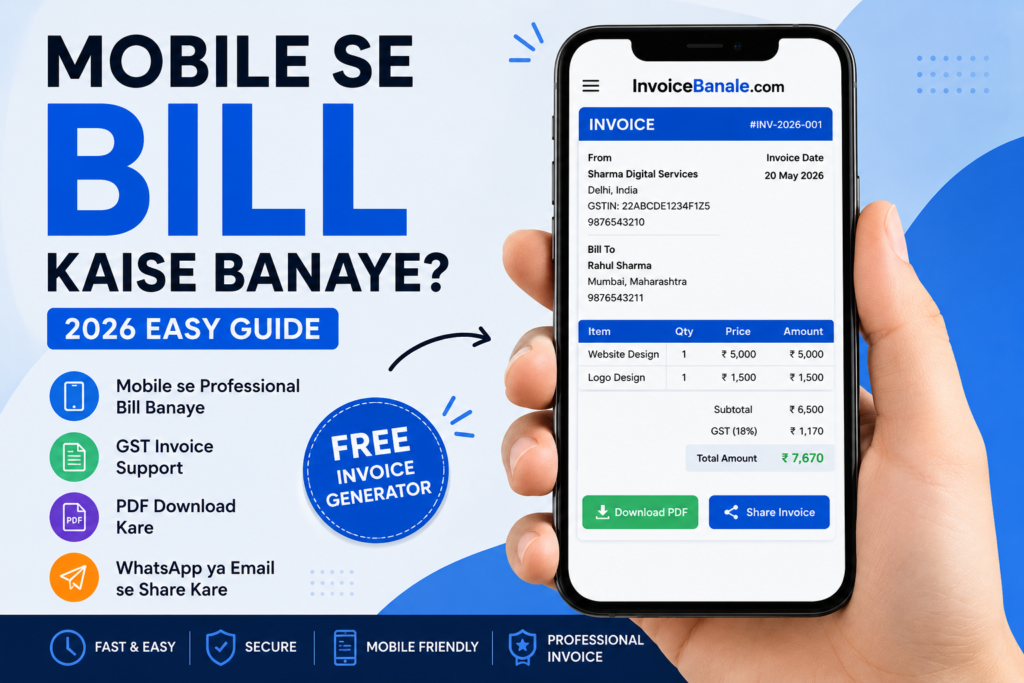
Step 1: Online Invoice Generator Open Kare
Sabse pehle apne mobile browser me:
InvoiceBanale.com
open kare.
Ye ek simple aur beginner-friendly invoice generator tool hai jahan aap free me professional invoice create kar sakte ho.
Step 2: Business Details Add Kare
Ab apni business information enter kare.
Normally ye details add ki jati hain:
- Business Name
- Mobile Number
- Address
- GST Number (optional)
Example:
| Detail | Example |
|---|---|
| Business Name | Sharma Traders |
| Mobile Number | 9876543210 |
| Address | Delhi, India |
Agar aap freelancer ho to apna personal name bhi use kar sakte ho.
Step 3: Customer Details Enter Kare
Ab customer ya client ki details add kare.
Customer Information
- Customer Name
- Phone Number
- Address
Example:
| Customer Name | Rahul Sharma |
|---|---|
| Phone | 9876543211 |
| Address | Mumbai |
Ye information invoice ko professional aur organized banati hai.
Step 4: Product Ya Service Add Kare
Ab jo product ya service di hai uski details enter kare.
Example:
| Product/Service | Price |
|---|---|
| T-Shirt | ₹500 |
| Website Design | ₹5000 |
Aap multiple products bhi add kar sakte ho.
Step 5: GST Add Kare
Agar GST applicable hai to GST percentage select kare.
Online invoice maker automatically total amount calculate kar deta hai.
Simple GST invoice me generally ye details enough hoti hain:
- GST Number
- Invoice Number
- Invoice Date
- Product/Service Details
- GST Percentage
- Final Amount
Beginners aur small businesses ke liye simple GST billing best hoti hai.
Step 6: Invoice Generate Kare
Sab details fill karne ke baad “Generate Invoice” button par click kare.
Aapka professional bill instantly ready ho jayega.
Ye process normally few seconds leta hai.
Step 7: PDF Download Ya Share Kare
Invoice ready hone ke baad aap:
- PDF download kar sakte ho
- WhatsApp par share kar sakte ho
- Email send kar sakte ho
- Print nikal sakte ho
PDF invoice professional aur easy-to-share format hota hai.
Online Billing Software Use Karne Ke Benefits
Aaj online invoice generator tools bahut popular ho rahe hain because ye billing process easy bana dete hain.
Fast Invoice Creation
Manual billing ki comparison me online tools fast hote hain.
Automatic Calculations
GST aur total amount automatically calculate ho jata hai.
Professional Templates
Invoice clean aur attractive lagta hai.
Mobile Friendly
Aap directly phone se billing kar sakte ho.
Free PDF Download
Invoice instantly PDF me convert ho jata hai.
Mobile Se GST Bill Kaise Banaye?
Agar aap GST registered business ho to mobile se GST invoice banana bhi easy hai.
Bas invoice generator me:
- GST Number
- Product Amount
- GST Percentage
add kare aur invoice automatically ready ho jayega.
Manual Bill vs Online Invoice Generator
| Manual Billing | Online Billing |
|---|---|
| Time zyada lagta hai | Instant invoice |
| Manual calculations | Automatic total |
| Errors ke chances | Accurate billing |
| Professional look nahi | Professional design |
| Difficult tracking | Easy records |
Isliye aaj zyada businesses online invoice maker use kar rahe hain.
Freelancer Ke Liye Mobile Billing Best Kyun Hai?
Freelancers ke liye mobile billing bahut useful hoti hai.
Chahe aap:
- Graphic Designer
- Content Writer
- Web Developer
- SEO Expert
- Video Editor
kuch bhi ho, professional invoice aapka trust improve karta hai.
Small Businesses Ke Liye Invoice Important Kyun Hai?
Agar aap shop ya business chalate ho, to proper invoice:
- Customer trust improve karta hai
- Business records maintain karta hai
- Payment tracking easy banata hai
- Professional image create karta hai
Common Billing Mistakes Jo Avoid Karni Chahiye
Wrong Customer Details
Customer name ya number galat enter mat kare.
GST Calculation Errors
Manual calculations me mistakes common hoti hain.
Invoice Number Missing
Invoice tracking difficult ho jata hai.
Unprofessional Invoice Design
Clean aur simple invoice better hota hai.
Professional Bill Banane Ke Tips
Simple Invoice Format Use Kare
Over-design invoice ko confusing bana sakta hai.
Correct Details Add Kare
Business aur customer information carefully check kare.
PDF Format Use Kare
PDF invoice professional aur secure hota hai.
Mobile-Friendly Tool Use Kare
Easy billing experience ke liye mobile optimized tool best hota hai.
Best Free Invoice Generator For Mobile Users
Agar aap simple aur easy invoice generator search kar rahe ho to:
InvoiceBanale.com
beginners aur small businesses ke liye ek useful option ho sakta hai.
Is tool ke features:
- Free invoice generation
- GST billing support
- PDF download
- Mobile friendly
- Professional invoice format
- Fast invoice creation
Quick Answer
Mobile Se Bill Kaise Banaye?
- Invoice generator website open kare
- Business details add kare
- Customer details enter kare
- Product/service add kare
- GST percentage select kare
- Invoice generate kare
- PDF download ya share kare
FAQs
Kya mobile se GST bill bana sakte hain?
Haan, online invoice generator tools ki help se mobile se GST bill create kar sakte hain.
Mobile se invoice banana free hai?
Haan, kai online billing tools free invoice generation provide karte hain.
Invoice PDF me download kar sakte hain?
Haan, invoice easily PDF format me download kiya ja sakta hai.
Freelancer invoice kya hota hai?
Freelancer invoice ek billing document hota hai jo freelancers clients ko payment ke liye bhejte hain.
Online billing software beginners ke liye easy hai?
Haan, modern invoice maker tools beginners-friendly hote hain.
Conclusion
Aaj ke digital world me mobile se bill banana bahut easy ho gaya hai. Ab aapko complicated software ya computer ki zaroorat nahi.
Chahe aap freelancer ho, shop owner ho ya small business owner — online invoice generator ki help se minutes me professional bill create kar sakte ho.
Agar aap free aur easy billing solution chahte ho, to:
InvoiceBanale.com
try kar sakte ho aur mobile se professional invoices generate kar sakte ho.